How to block apps by location on iPhone
You want social apps off at the office or the library, and back after you leave. Here’s what your iPhone can do on its own, and how to set up a rule that blocks apps when you arrive.

Free for 7 days.
What your iPhone can do on its own
- Screen Time blocks apps by the clock, on a schedule or after a daily limit. It doesn’t know where you are, so an office rule has to become a timetable.
- A Focus can turn on when you arrive somewhere. It silences notifications and can show only the Home Screen pages you choose. An app still opens when you find it and tap it. See does Focus mode block apps.
- Shortcuts can run an automation when you arrive or leave. It has no action of its own that blocks an app, so it needs an app that adds one.
Set it up in MindFence
Save the place once, and the block starts when you arrive and ends after you leave. There are no Shortcuts automations to build.
- Install MindFence and allow Screen Time when it asks.
- Set Location to Always in Settings ▸ MindFence ▸ Location, so places are checked while MindFence is closed.
- In Places, tap Add Place. Search for the address or tap Use My Location, and make the circle 150 m or bigger.
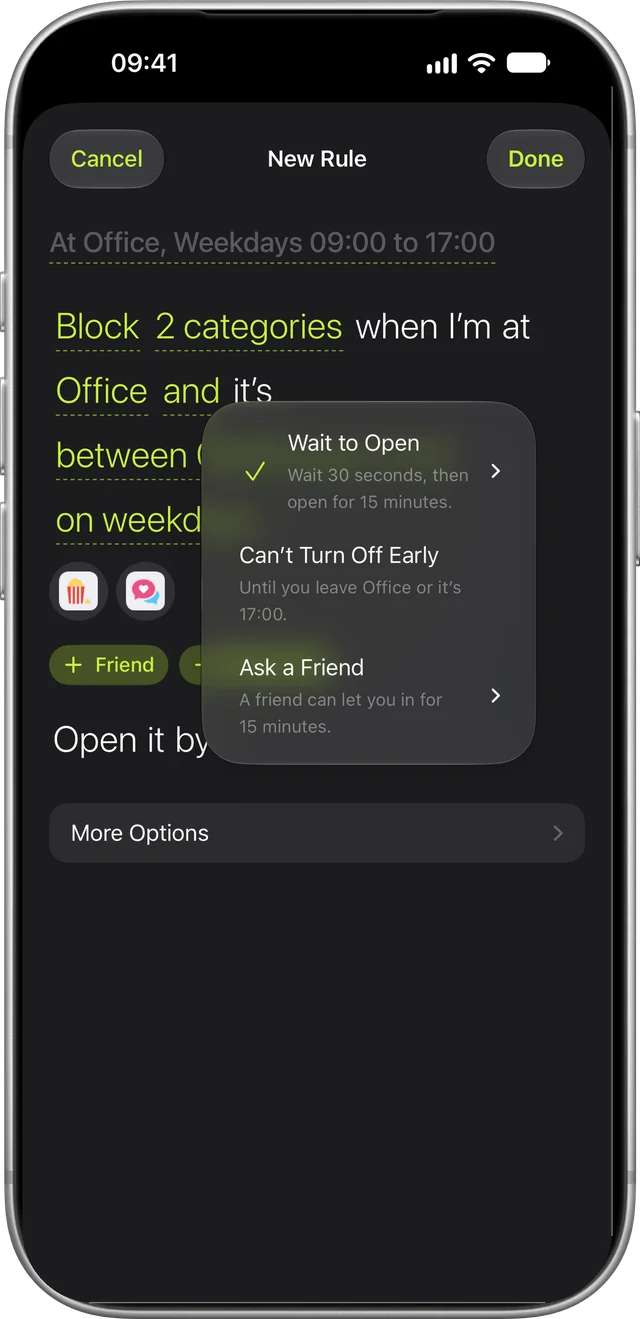
- In Rules, tap New Rule and pick the apps, or a whole category like social. Add Location and choose the place. The rule reads as a sentence: Block social when I’m at Office.
- Choose how strict it is. Wait to Open makes you wait 10 seconds to 5 minutes, then opens the app for 15 minutes.
Starting points such as Work Hours and Study set most of this up for you.

What happens when you get there
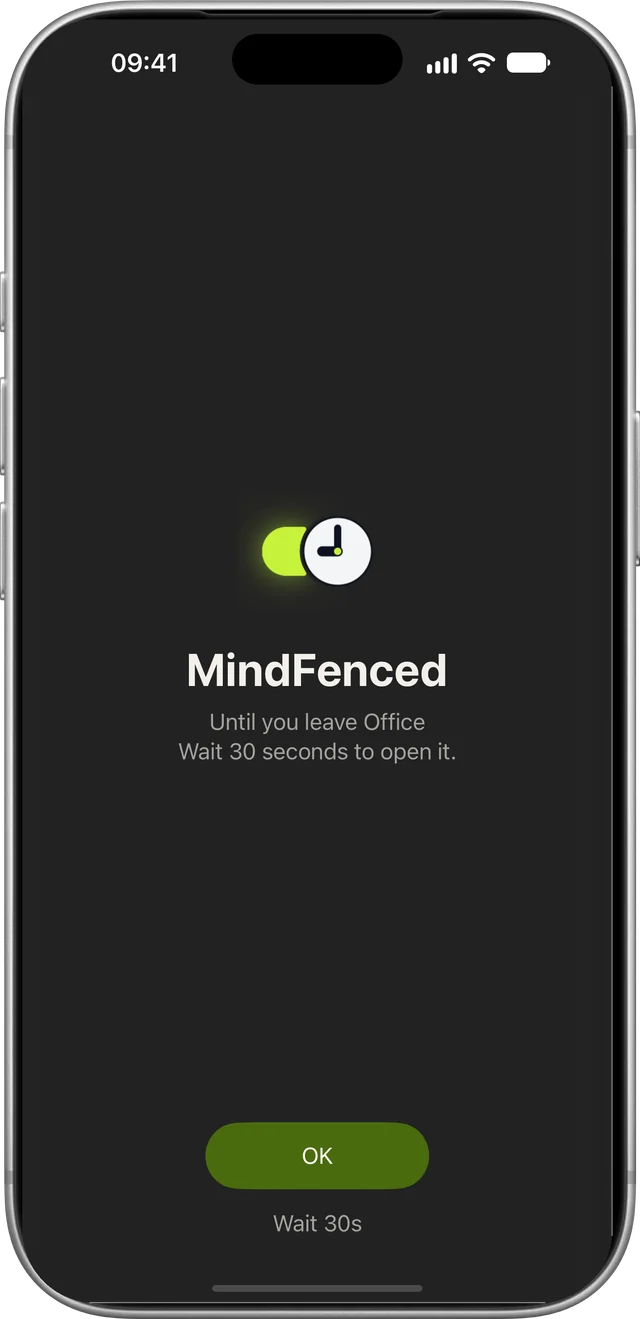
Walk in and the rule starts, even with MindFence closed. Open a blocked app and you see a blocked screen that says why and how to get in. After you leave, the apps open again.
Each place shows whether you’re there right now. Places work best at 150 m or more, with Wi-Fi on. If one hasn’t noticed you, the pin may be on the wrong side of a building, so move it or make the place bigger.
If a rule didn’t start, Support lists what to check.
Ideas for places
- The office. Block social when you’re at work, and add weekdays so Saturday visits don’t count.
- The library. Block social and games while you study, and get them back when you leave.
- Home in the evening. Block games at home after 21:00, and leave the afternoons alone.
- Everywhere but work. Choose When I Leave and the rule is on while you’re away, like work email off whenever you’re not at the office.
- With a friend. Block apps when you’re both at the library or the café, and keep each other on track. A friend can approve 15 minutes, too.
- Right now. Turn a rule on Until I Leave This Location, and it stops when you go.
- The gym. Block social and video while you train.
How strict should it be?
Start gentle. A short wait is often enough to catch the open you didn’t mean. You can make any rule stricter later.
- Wait to Open: wait 10 seconds to 5 minutes, then the app opens for 15 minutes.
- Can’t Turn Off Early: the rule stays on until you leave the place.
- Ask a Friend: a friend can approve 15 minutes from their phone. They can’t change the rule or see what it blocks.
If you really need an app, Break the Glass opens that rule for 15 minutes, five times a month.
Does it track where I go?
No, and there’s no account. Places are checked on your phone, sync only through your own iCloud, and go to a friend only if you share them. Privacy has the details.
What it costs
No account needed. MindFence needs an iPhone or iPad on iOS 18 or later.
Free for 7 days.
Studying? See how to stop using your phone while studying.