Distracting apps, off at the library.
MindFence blocks apps by where you are, what time it is, and who you're with. Nothing to start, nothing to remember. The distracting apps go quiet in the right places, and the rest of your phone stays yours.
Free while in beta. Requires an iPhone on iOS 18 or later.
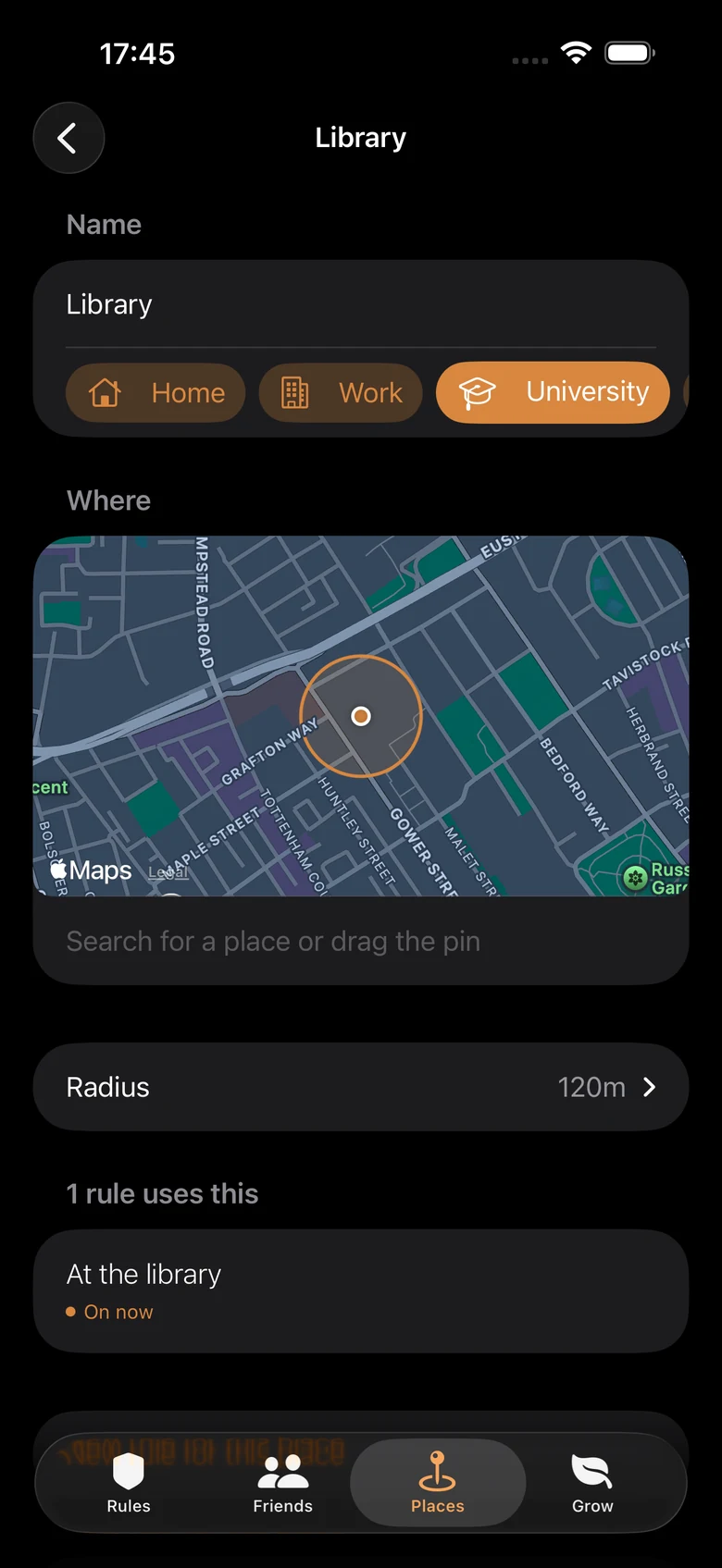
Save a place once. It works forever.
Drop a fence around the library, the office, or home. Walk in and the rule comes on. Walk out and it lets go.
The map shows exactly what the fence covers, and each place says plainly whether you're inside it right now. When it isn't sure where you are, it says so instead of pretending.
Focus with a friend.
Give a friend the key to a rule. Getting past it means asking a real person, and fifteen minutes is theirs to give. That is all they can do: they can't see or change anything else on your phone.
Or share a rule as a pact, and the same sentence runs on both phones. Two people, two cities, both heads down. Study together, apart.
It works alone too. Friends are what make it stick.
Block social until 6 pm. Sam holds the key.
Sam can grant fifteen minutes. Nothing else.
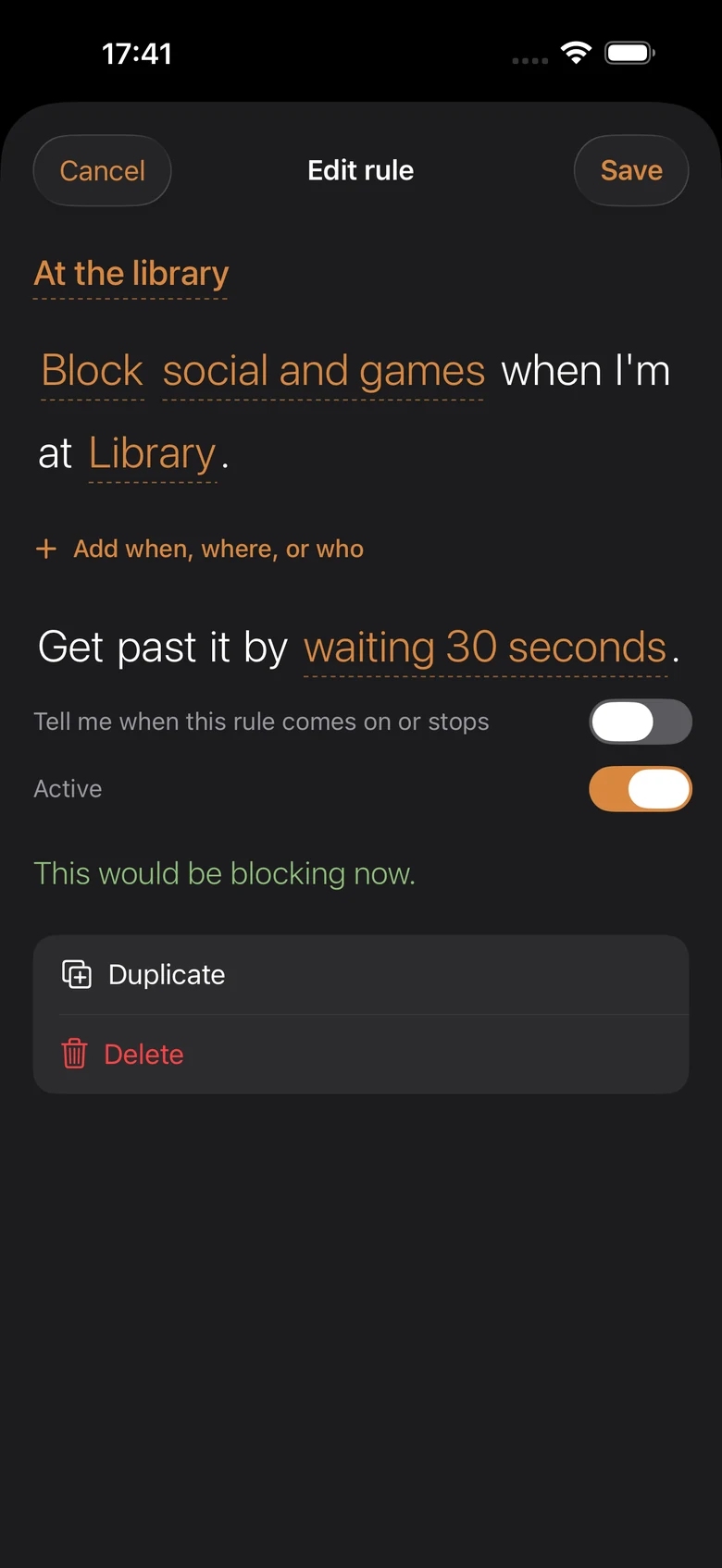
A rule reads like a sentence.
Block social and games when I'm at Library. Get past it by waiting 30 seconds. That is the whole interface. No dashboards, no timers, no setup ritual. One sentence, and it's real.
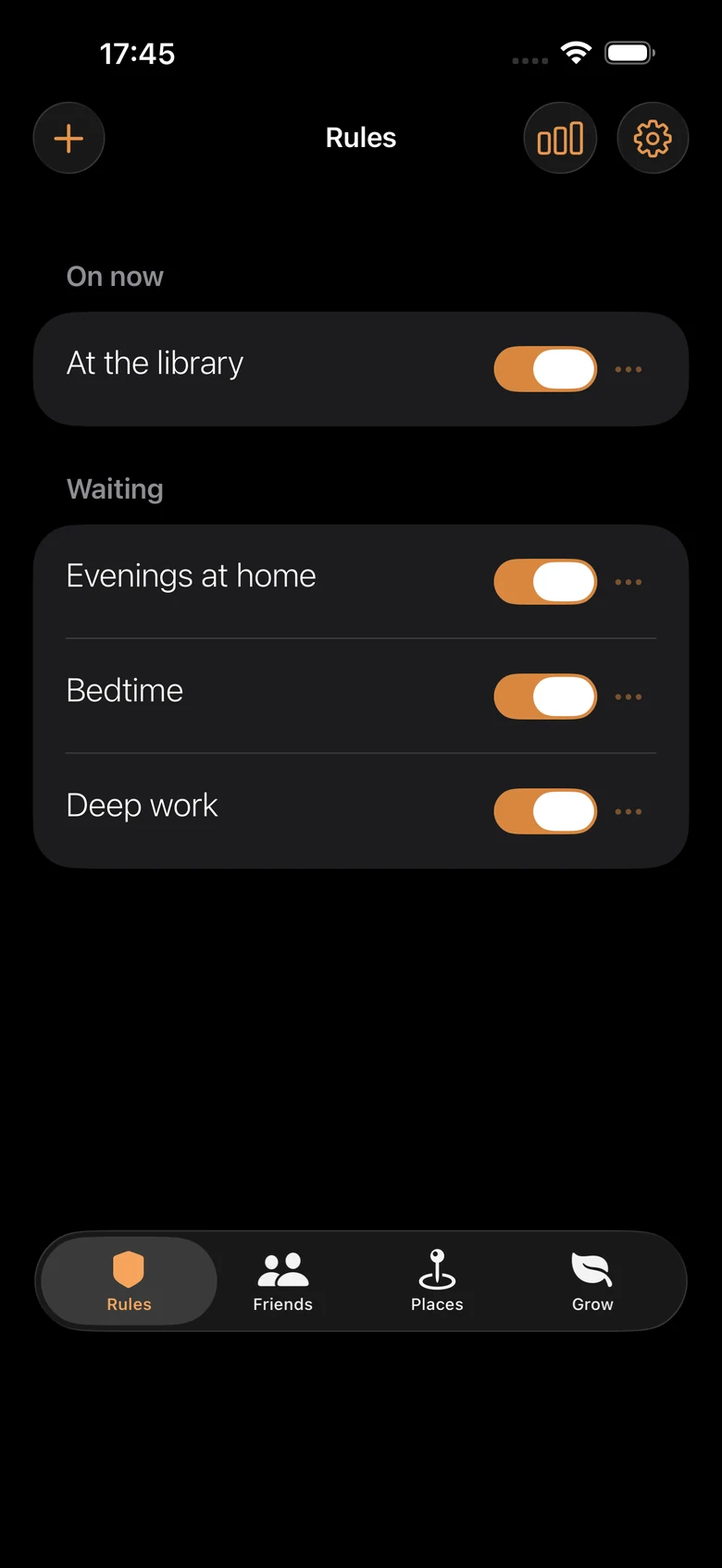
After that it runs on its own. Nothing to open, nothing to start, nothing to remember.
Some rules nudge. Some rules hold.
You pick how serious each rule is, and the app is honest about which is which at the moment you choose.
Tap to get past
A pause and a question. Won't stop you, and says so.
A real wait
Half a minute standing there, which is longer than most urges last.
Holds until you leave
The rule ends when you leave the place, or when your friend lets you through.
One thing said plainly, because nobody else in this category will: any app like this can be switched off in Settings in about twenty seconds. That's true of every blocker on the App Store, ours included. The difference is that you were told, and that the strong rules make the honest way out a walk rather than a tap.
You've tried the other ways.
| MindFence | Screen Time | Other blockers | |
|---|---|---|---|
| Turns on by place | Yes | No | Rarely |
| Knows when a friend's with you | Yes | No | No |
| A friend can hold the key | Yes | No | Rarely |
| A rule is one sentence | Yes | No | No |
| Needs an account | No | No | Usually |
| Getting past a strict rule | A walk, or asking a friend | One tap | Waiting out a timer |
| Honest about what it can't do | Says it plainly | — | Not usually |
Small things, done properly.
Times and calendars
Evenings, bedtime, or whenever your calendar says Study.
Websites too
Sites and web categories, blocked alongside apps.
Milestones
For hours held shut, and Game Center leaderboards with friends.
Lock Screen and Control Centre
Start a rule the moment you sit down, and a quiet figure shows while it's on.
On the Mac too
The same rule sentences keep distracting websites shut while you work.
Emergency breaks
A few real outs for real life, counted and visible.
Your phone keeps its own secrets.
Everything MindFence works out, it works out on your phone.
No account
Nothing to sign up for. Install it and it's yours.
App choices stay secret
Which apps you block, nobody learns. Not even us.
Places stay put
Your places live on your phone. A friend sees one only if you offer it.
The rest is a switch and a short page: rough usage counts you can turn off in Settings, and a privacy policy short enough to actually read.
A week free. Then pick one.
Yearly
$39.99 a year. A free week first. Renews yearly until cancelled.
Family
$59.99 a year. One price, shared with your family.
Lifetime
$69.99 once. Pay once, keep it for good.
Free while in beta, so today it costs nothing. The App Store shows your local price. And if you ever stop paying, nothing you set up is deleted; it all comes straight back.
Fair questions.
Can't I just turn it off?
Yes, in Settings, in about twenty seconds. That's true of every blocker on iPhone. MindFence is a commitment device, not a cage: the strong rules make quitting deliberate and slightly tedious, which for most moments of weakness is enough.
Does it track where I go?
No. Your places are stored on your phone and the boundary is checked there. The one exception is a place you offer a friend, sent so both phones can fence the same spot. Nothing shares a place you didn't offer, and we never see any of it.
Do I need an account?
No. There is nothing to sign up for. Install it, save a place, write a rule.
What does it cost?
Nothing while it's in beta. On the App Store it will be free for a week, then $39.99 a year, $59.99 a year for a family, or $69.99 once for lifetime. Nothing you set up is deleted if you stop paying.
What do I need to run it?
An iPhone on iOS 18 or later. There is a Mac app in beta too.
Is it a parental-control app?
No. MindFence is for adults managing their own devices. Each person installs it themselves and writes their own rules; nobody can control anyone else's phone with it.
Your phone, quiet where it matters.
MindFence is on TestFlight for iPhone and Mac. Invites are capped, so if a link says the beta is full, write to hello@byrazlabs.com and you'll be in the next batch.
Free while in beta. Requires an iPhone on iOS 18 or later.