MindFence vs Opal: an Opal alternative that blocks by place
Checked October 2026.
MindFence is for anyone who wants distracting apps out of the way at the library, at the office or late at night. It blocks apps by place, by time or with a friend, and places work without Shortcuts.

Free for 7 days.
Why people pick MindFence
- Save a place like the library once, and any rule can use it.
- A friend can be part of a rule: it can start when you’re both at the library, or they can approve 15 minutes.
- You choose how strict each rule is, with Wait to Open, Can’t Turn Off Early or Ask a Friend.
- You don’t need an account, and you can try it free for 7 days on iPhone and iPad.
Feature by feature
| MindFence | Opal | |
|---|---|---|
| Block by place | ✓ Built in, even with MindFence closed | With a Shortcuts automation you set up |
| Block by time | ✓ Different hours each day, and daily limits | ✓ Schedules and time limits |
| Friends | ✓ Shared rules; a friend can approve 15 minutes | Leaderboards, milestones and group sessions |
| Wait before opening | ✓ 10 seconds to 5 minutes | ✓ A break with an intention and a timer |
| Hard to turn off | ✓ Until the time is up or you leave the place | Deep Focus and Hard Mode, on the paid plan |
| Account | Not needed | Needed to subscribe and for friends |
How it works day to day
Setting up a rule
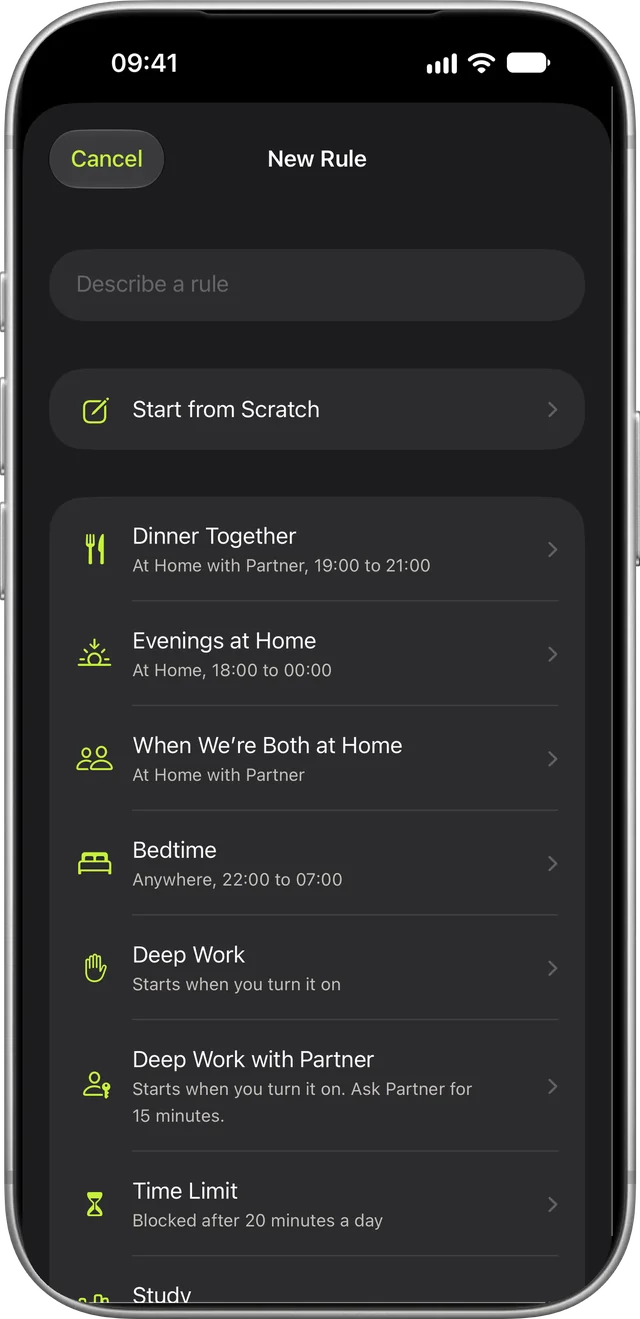
A rule is one sentence: Block social when I’m at Library. Pick the apps, then where or when. Starting points like Study, Work Hours and Bedtime fill in the rest.
Blocking by place
In Opal, blocking by location means building Shortcuts automations that start and stop a session as you arrive and leave. In MindFence you save the place once and any rule can use it. The rule starts when you walk in, even with MindFence closed, and ends after you leave.
Blocking by time
A rule can follow a schedule, like 22:00 to 07:00 every day or 09:00 to 17:00 on weekdays. Each day can have its own hours, or you can set a daily limit instead.
Rules with a friend
A rule can start when you and a friend are both at the library. If it’s set to Ask a Friend, they can approve 15 minutes from their phone. You can see each other’s Time Blocked, and friends never see which apps you block.
How strict each rule is
Wait to Open makes you wait 10 seconds to 5 minutes, then opens the app for 15 minutes. Can’t Turn Off Early keeps the rule on until the time is up or you leave the place. With Ask a Friend, a friend has to approve. When you really need an app, Break the Glass gives you 15 minutes, five times a month.
Switching from Opal
Turn off your Opal sessions first, so only one app is blocking at a time. After you save a place in MindFence, you can delete the Shortcuts automation you made for it. For a session that ran 09:00 to 17:00, make a rule with the same hours and apps.
Try MindFence free
It’s free for 7 days on iPhone and iPad with iOS 18 or later and Mac with macOS 15.3 or later, and you don’t need an account.
Free for 7 days.